How many words have you typed today?
Just speak. It’s written.
Press the dictation key (F2 on Mac, right Ctrl on Windows) and speak. Live captions as you talk; stop, and it’s written — pasted right where you’re working.
01The problem
Your thoughts are fast. Your typing is slow.
And what you say is too messy to use.
- 01Typed, deleted, typed again
- 02A screen full of ums
- 03Clear in your head, messy in your AI prompt
- 04Formatting alone eats your time
- 05One line to an overseas client means juggling a translator
- 06Ideas flash by — switch windows, and they’re gone
- 07Quick math? Go hunt for the calculator
- 08Same message for your boss and your friend, written twice

02Try something new
Press once, and just speak.
03Dictation
Stop, and it’s written.
Press the dictation key — F2 by default on Mac, right Ctrl on Windows — both can be changed.
Live captions as you talk. Stop, and it’s written.
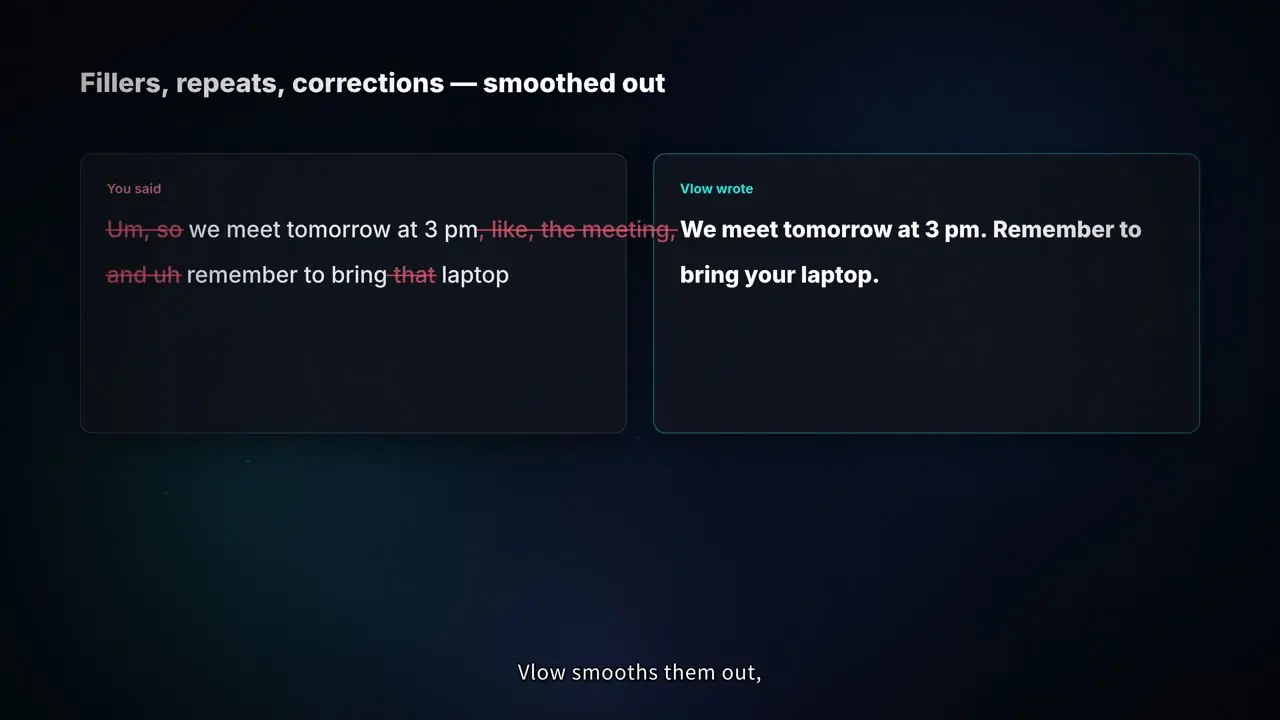
Fillers, repeats, corrections: Vlow smooths them out and pastes right where you’re working.
um so we have a meeting tomorrow at three, the meeting, and uh remember to bring the laptop
We have a meeting tomorrow at 3 PM. Remember to bring your laptop.
04Petal capsule
One click, new style.
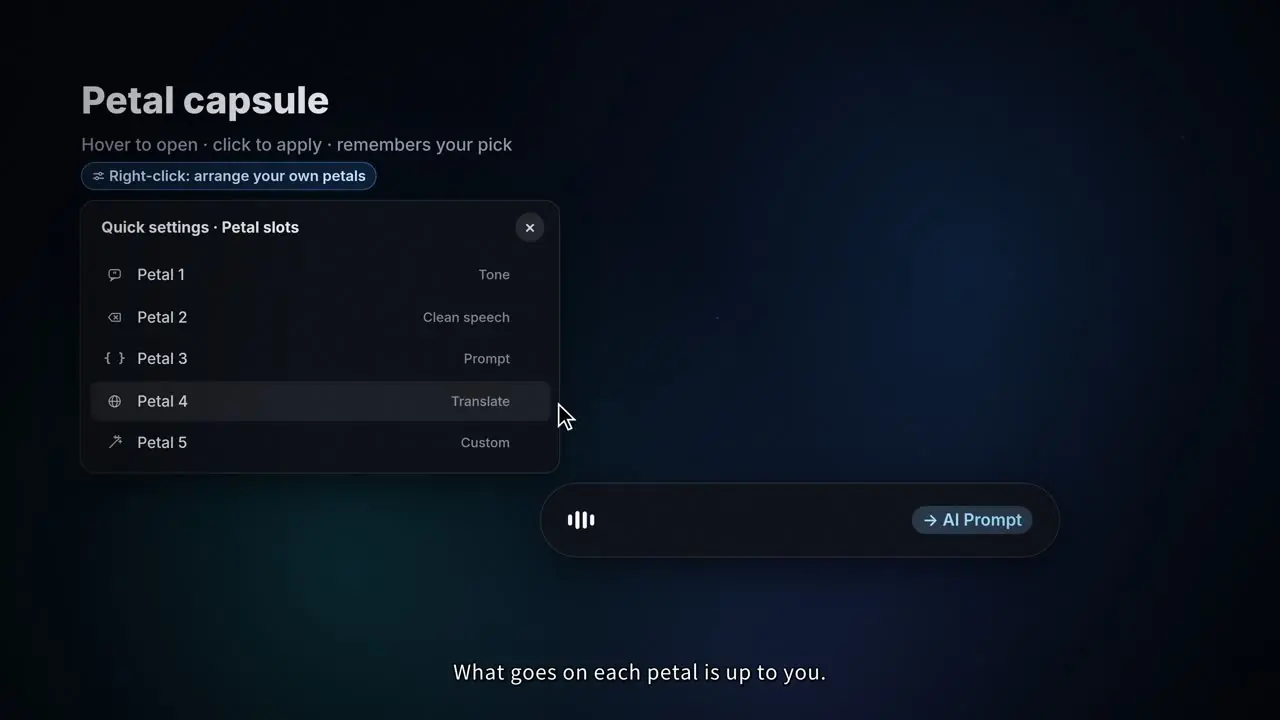
Hover, and five petals unfold. Click to switch styles, and Vlow remembers. What goes on each petal is up to you.
05Five tones
One message, any tone.
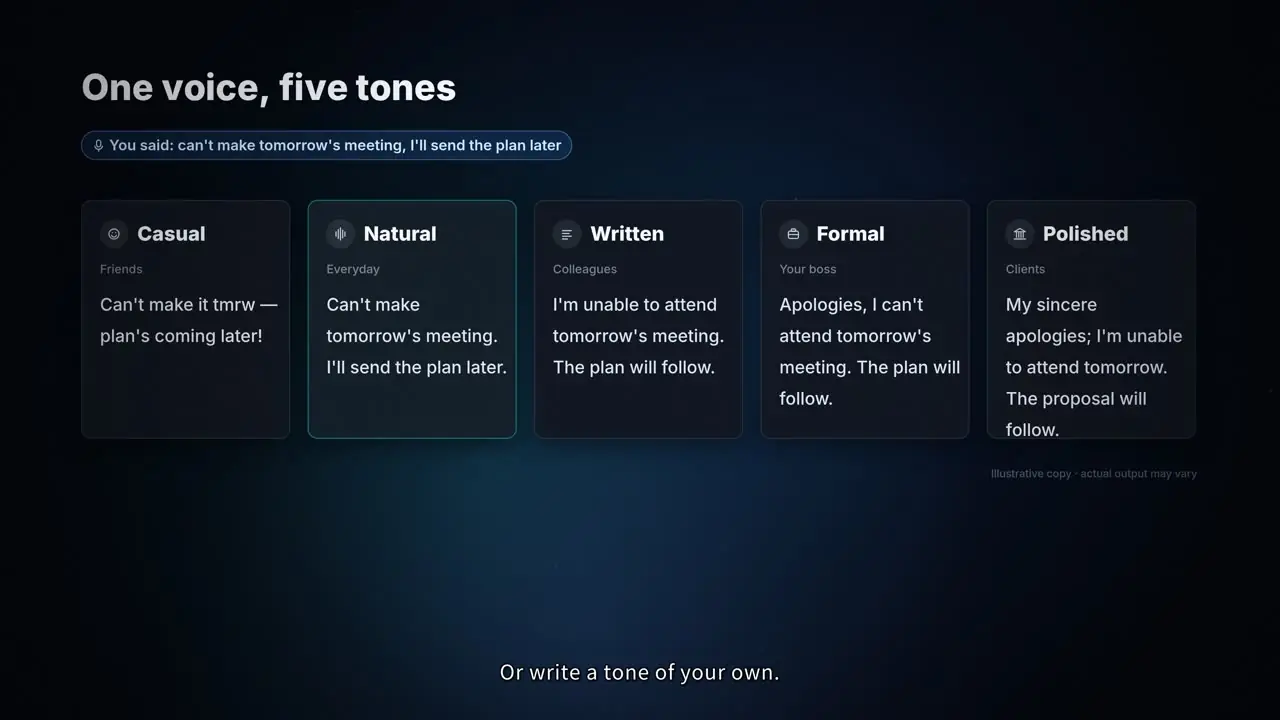
Your friends, your boss, your clients. One message, any tone, in one click. Or write a tone of your own.
Can’t make tomorrow’s meeting — I’ll send the plan later!
I can’t make tomorrow’s meeting. I’ll send the plan later.
I won’t be able to attend tomorrow’s meeting; the plan will follow shortly.
Apologies — I’m unable to attend tomorrow’s meeting. I will send the plan to you shortly.
Please accept my sincere apologies for being unable to attend tomorrow’s meeting. The plan will be forwarded to you shortly.
06Auto styles
Switch apps, Vlow switches styles.
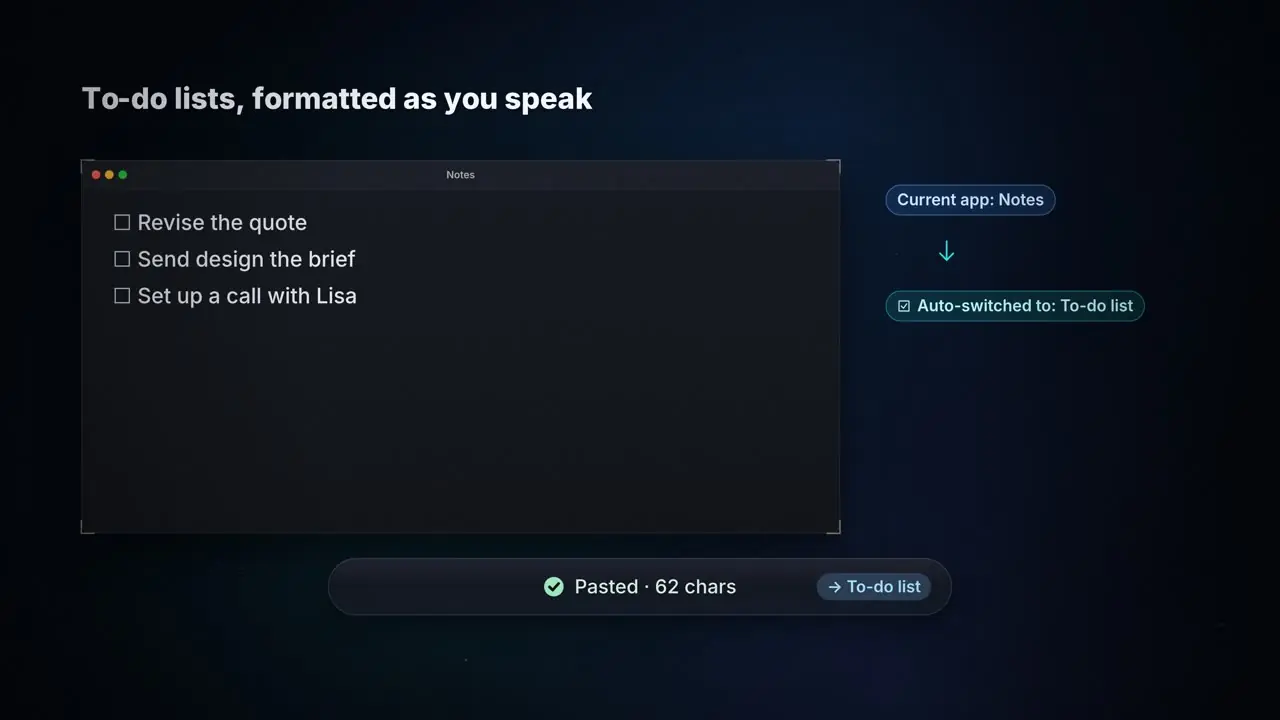
In Cursor, it writes your prompts. In Terminal, your commit messages. In your notes, tidy lists. Switch apps, and Vlow switches styles.
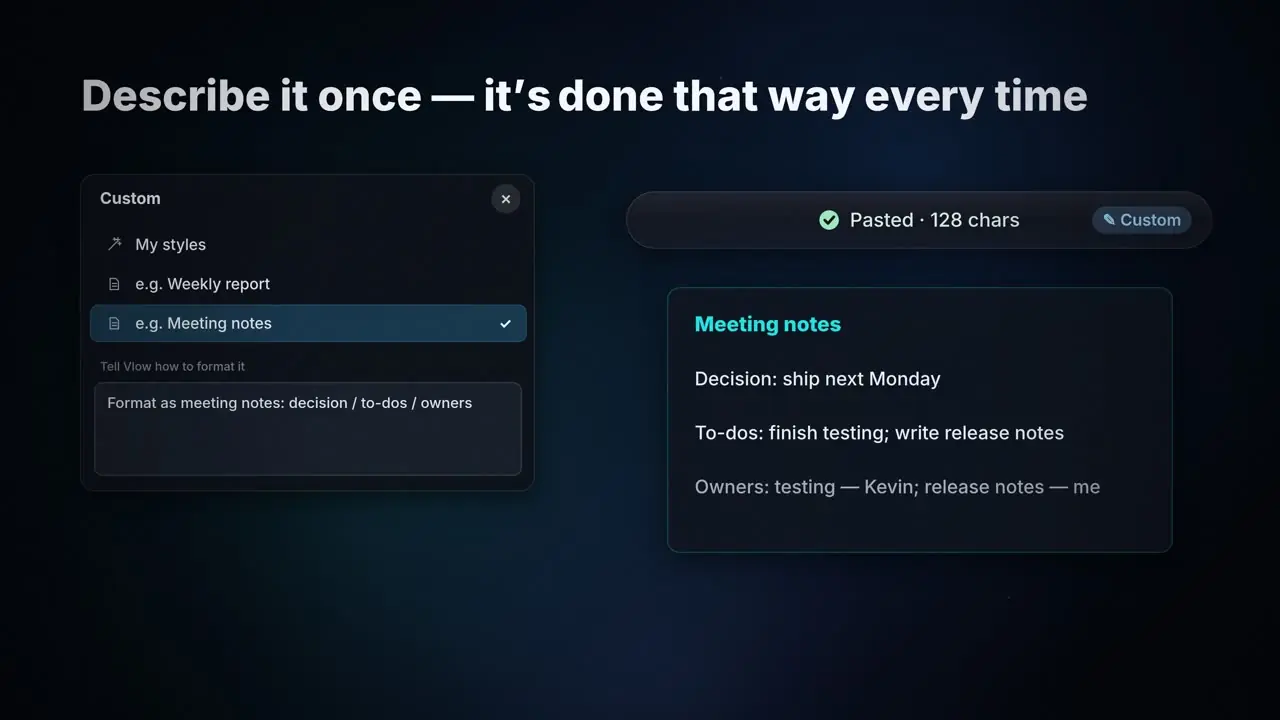
07Custom styles
Describe it once.
Want a certain format? Describe it in one sentence, and Vlow sticks to it, every time.
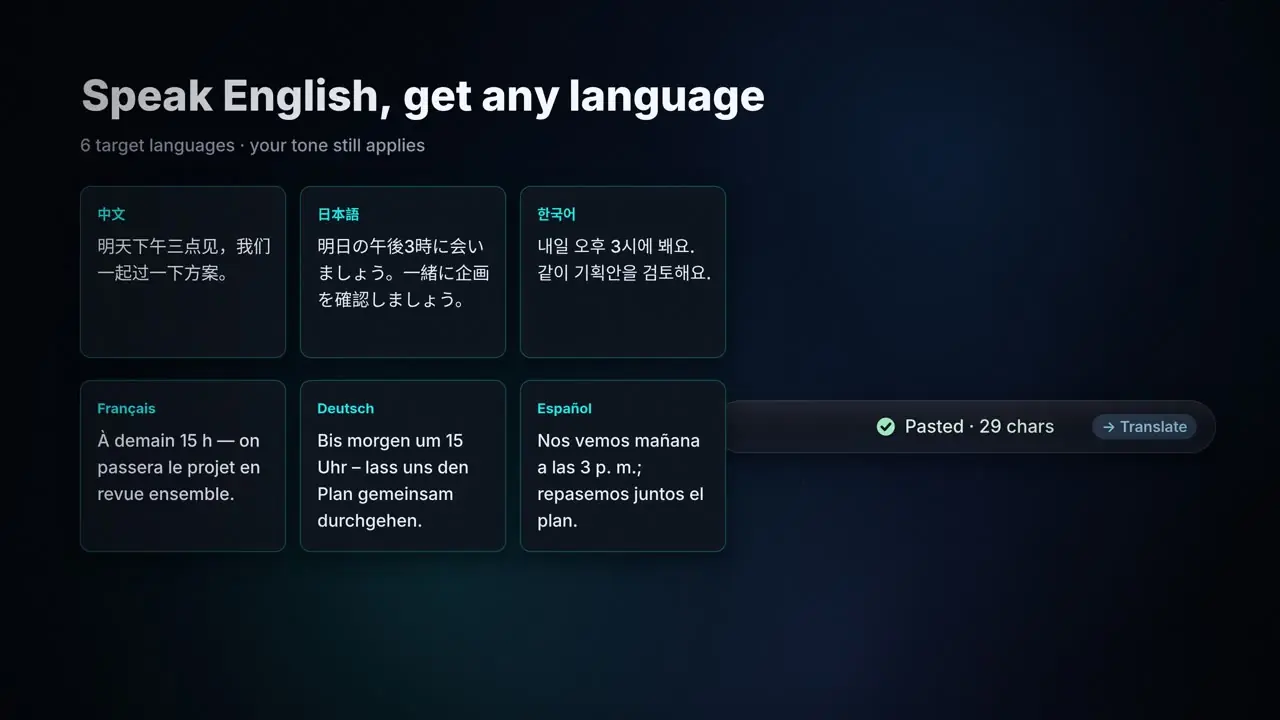
08Translate
Speak once, write any language.
Speak English, and get Chinese, Japanese, Korean and more. No translator app, and your tone still applies.
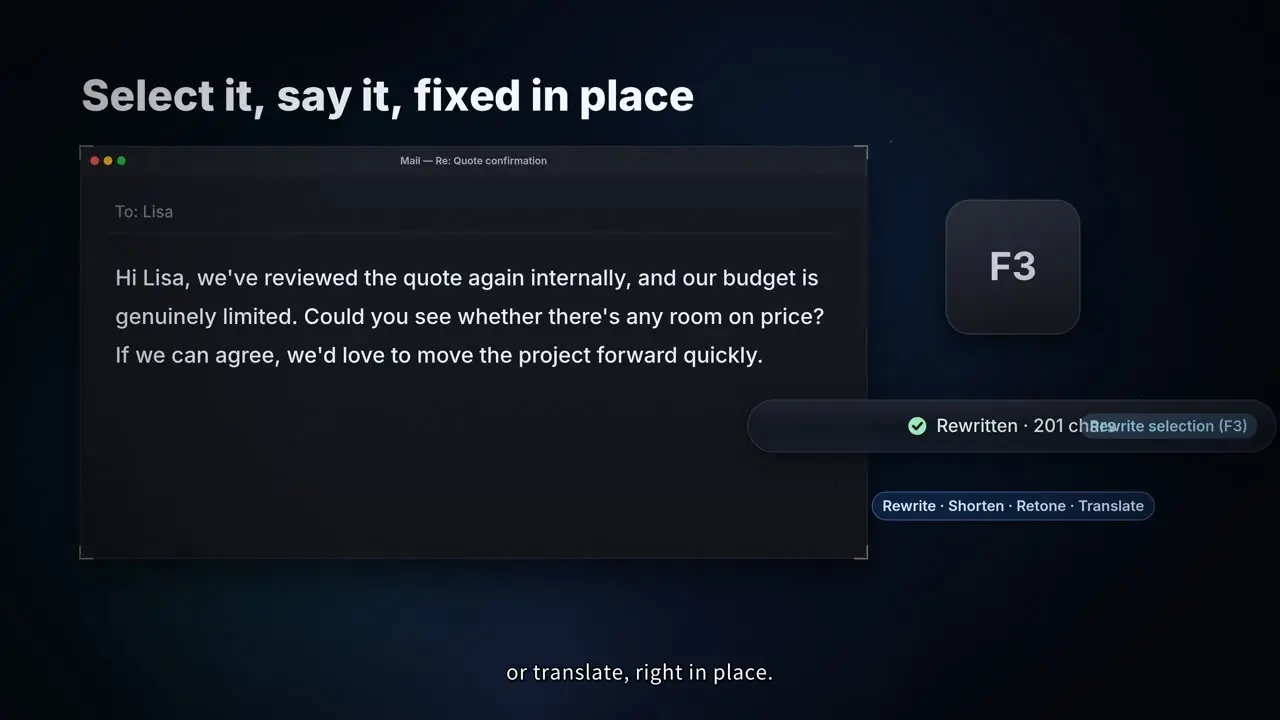
09F3 rewrite
Select it, say it, fixed in place.
Select any text, press F3, and say how to change it. Rewrite, shorten, change the tone, or translate, right in place.
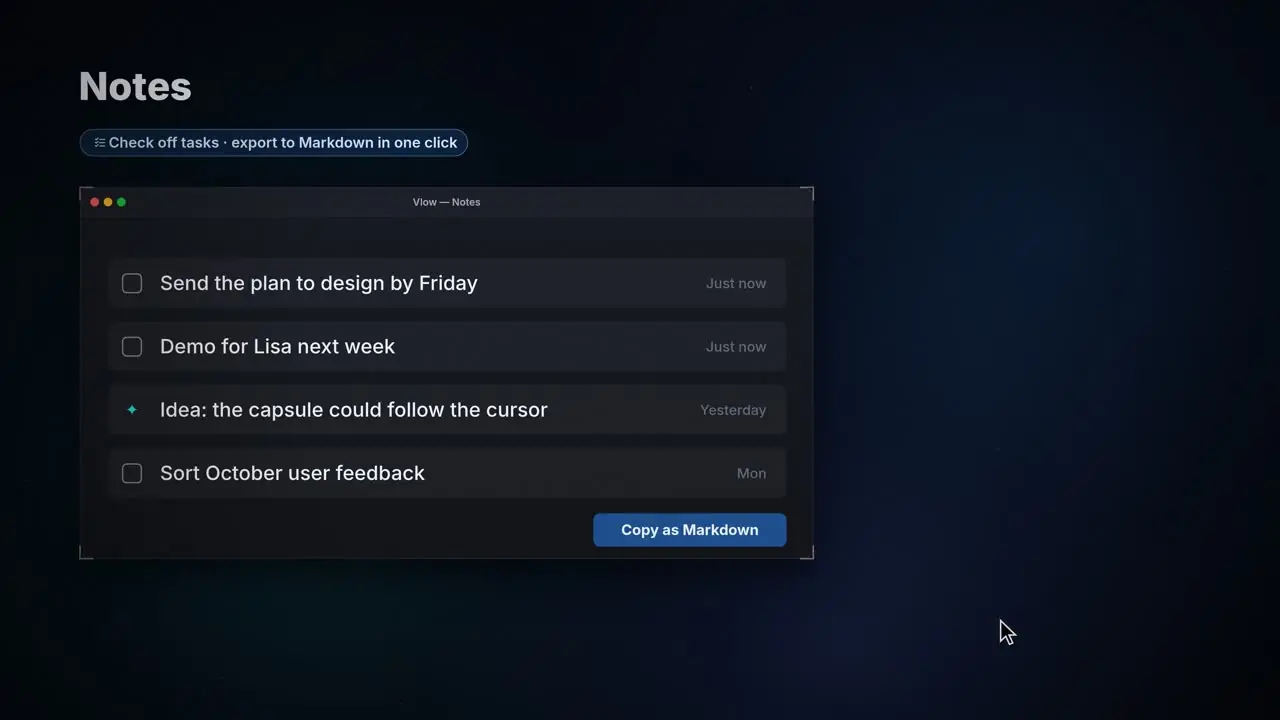
10“Note this”
Say it once, it’s saved.
Ideas, to-dos. Just say “note this”, and it’s in your quick notes. Your work never skips a beat.
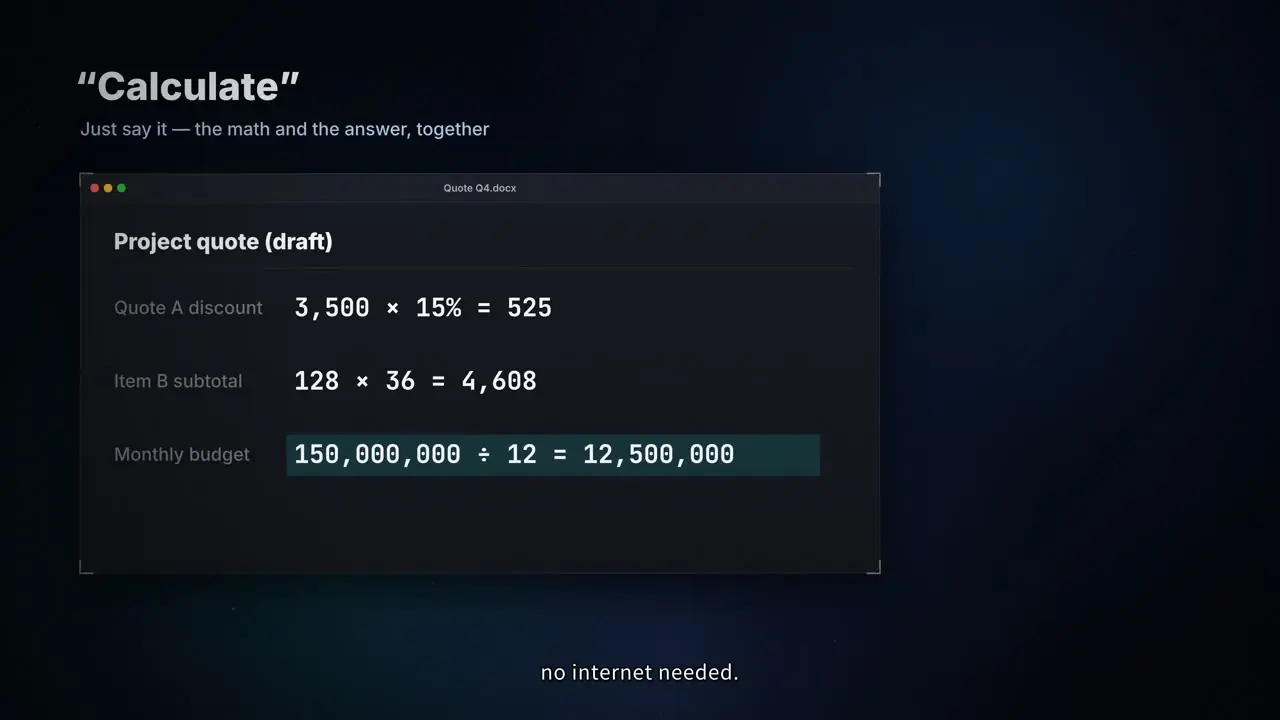
11“Calculate”
Math, out loud.
Quotes, splits, discounts. Say “calculate”, and the formula and result land right in your doc. Everyday math runs on your computer, no internet needed.
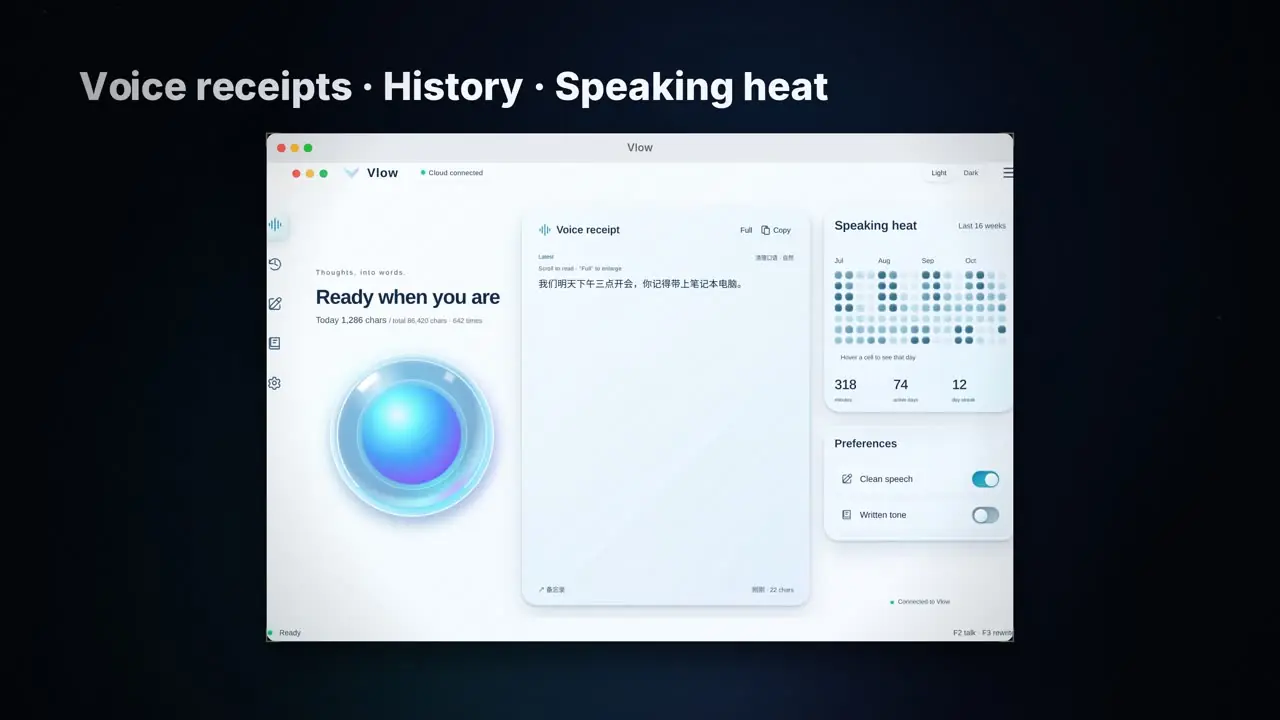
12Learns your words
Your words. Your rhythm.
Teach it the names and terms you use, and it stops mishearing them. Your history stays on your own computer.
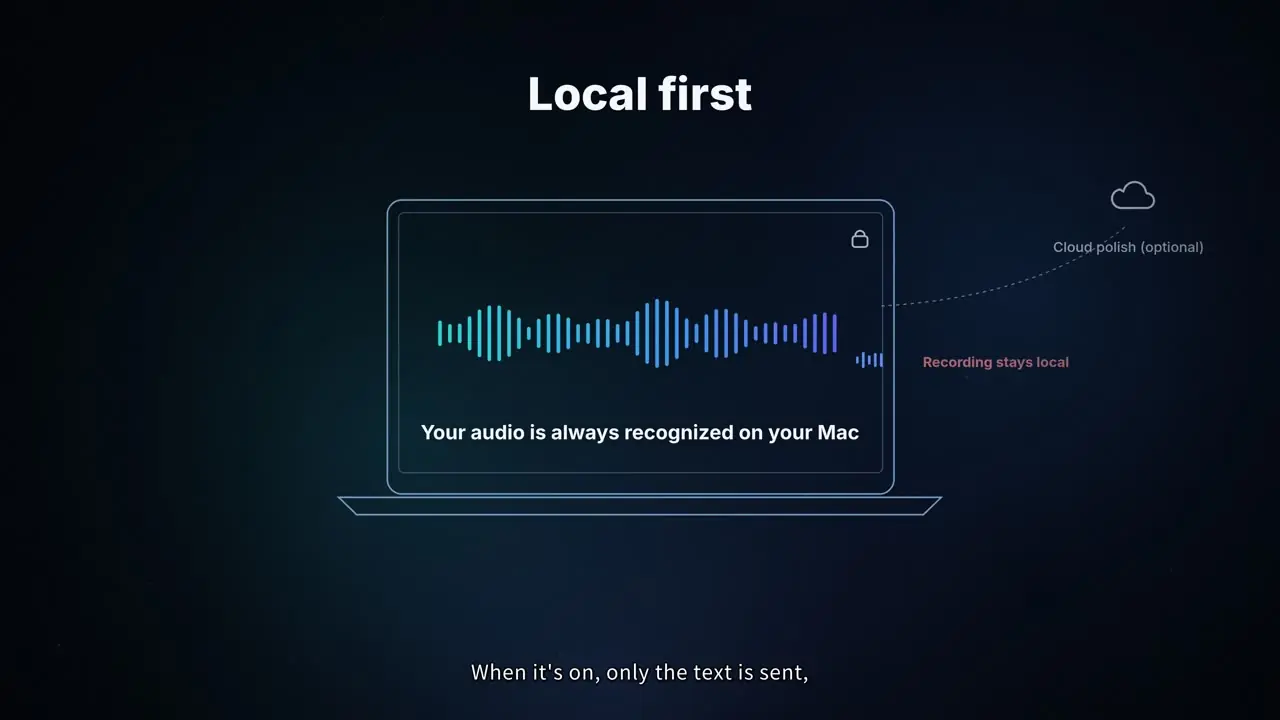
13Privacy
Local first.
Your voice is always recognized on your computer. Cloud polish is optional. When it’s on, only the text is sent, never your recording.
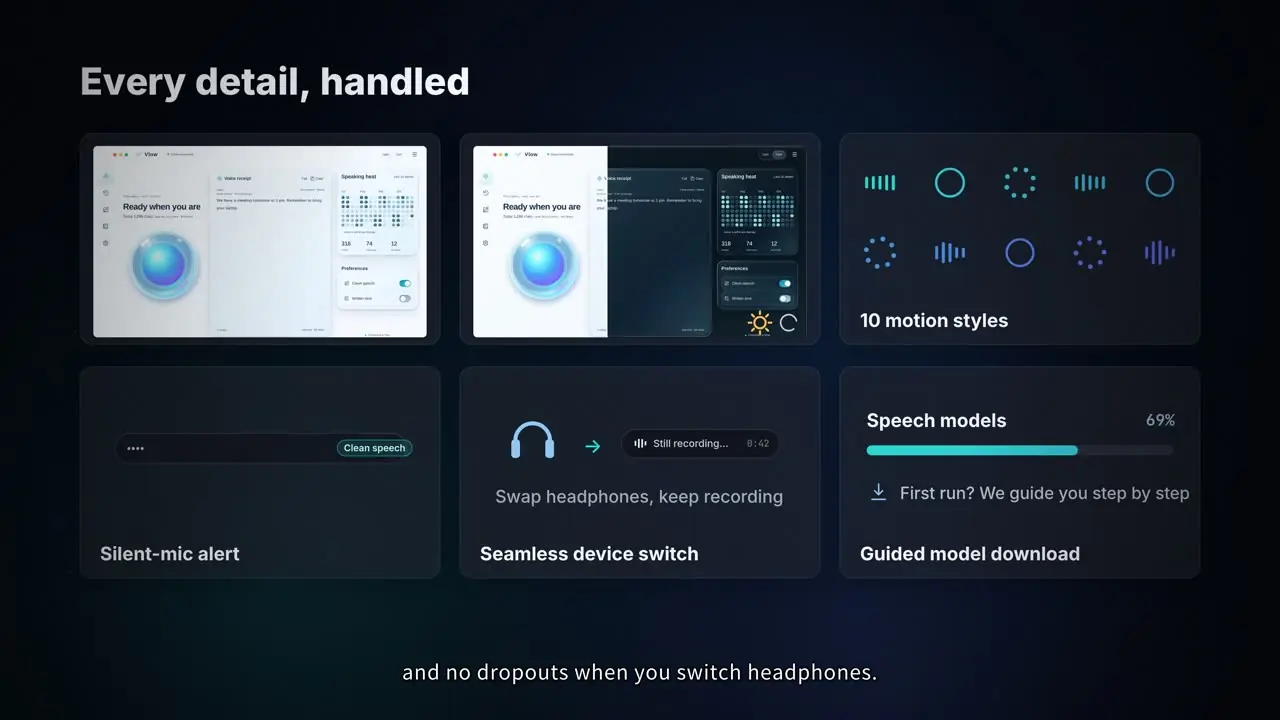
14Details
Every detail, covered.
English and Chinese interfaces, light and dark themes, and your choice of microphone. On Mac you also get ten motion styles, silent-mic alerts and no dropouts when you switch headphones.
▶THE FILM
Vlow in four and a half minutes.
The full film has narration; the 60-second cut is music only. Click any chapter to start from there.
Film chapters
Ten feature shorts
About half a minute each, one feature at a time.
Pricing
Dictation is free forever.
Pro is a one-time buy.
Your audio is always recognised locally on your computer. New users get every Pro feature free for 7 days; after that Vlow falls back to the free version — no automatic charge.
- Unlimited on-device dictation
- “Note this down” quick notes and “Calculate” voice calc (on-device)
- Personal dictionary
- History and stats
- Use on up to 2 computers (Mac or Windows)
- Cloud tidy-up: eight modes + tones
- Auto-switch mode by the current app
- F3 voice rewrite of selected text
- On-device polishing (Beta)
- Everything in Free
Cloud tidy-up uses your own AI provider key — we never handle your key.
Sign in inside the app, then buyHow to buy
- 1Download and open Vlow
- 2Sign in inside the app with an email code
- 3Click “Buy” in the app and pay in your browser
- 4Return to Vlow — Pro is unlocked
Vlow isn’t sold on the website: start the purchase from inside the app after signing in, so Pro is tied to your account.
Support: zhuhuajun@zyqpai.cn
?FAQ
Questions
Is my voice uploaded?
Vlow is local-first: speech recognition runs on your computer. AI polishing is optional — only when you turn it on is the recognised text sent to a cloud model for polishing. With it off, Vlow uses the on-device result.
Which systems are supported?
Mac and Windows launch together. Mac: Apple silicon with macOS 14 or later. Windows: Windows 10 (20H1 or later) or Windows 11, x64. The Windows version is currently a developer preview; public download is coming soon.
How does it work?
Press the dictation key in any app (F2 on Mac, right Ctrl on Windows) and start talking. A floating one-line capsule shows confirmed text in white and still-recognising text in blue. When you finish, polished text is pasted into the current app.
What output modes are there?
Eight tidy-up modes: Verbatim, Clean speech, AI prompt, Git commit, Task list, Tech doc, Translate and Custom — plus five tones (Casual, Natural, Written, Formal, Honorific) and your own custom tone. Same on Mac and Windows.
What are “Note this down” and “Calculate”?
Say “note this down…” and Vlow saves it as a quick note. Say “calculate…” and the sum is worked out on your computer and the answer shown right away.
What does F3 do?
Select some text, press F3 and say how to change it (for example “make it more formal”). Vlow rewrites the selection accordingly.
How much does it cost?
Dictation is free forever. Pro is $69 one-time at the early-bird price ($169 regular afterwards), use it on up to 2 computers (Mac or Windows), and new users can try every Pro feature free for 7 days. To buy, sign in inside the app and click “Buy” there. Questions? Email zhuhuajun@zyqpai.cn.
Just speak. It’s written.
Mac and Windows launch together. Leave your email and we’ll tell you the moment downloads open.
Used only to tell you when Vlow launches. Never shared. Every email has a one-click unsubscribe that deletes your address.